Jobs, travelers and routings
A job is a lot of customer parts with a routing copied from the process. The traveler prints that routing with a barcode per operation, the floor logs what actually happened in each tank, and anything outside the window is recorded as a deviation.
Processes and routings
Under Setup > Processes each finish has a code, a name, the specification it is certified to, a default price and unit, a minimum lot charge, a thickness range in mil, in, µin or µm, a revenue account and, for silver and gold, the precious metal that drives the surcharge. Below that is the routing, the ordered steps copied onto every job for the process. A step holds:
- Operation, work center, tank
- What is done, which line does it, and the tank it is done in.
- Operating window
- Process time and temperature minimum and maximum, current density in A/ft² and typical voltage. Target amps for the lot are computed from current density, part surface area and quantity.
- Must start within
- Hours allowed since the previous step: bake within 4 h of plating, dye within 30 minutes of anodize.
- QC step
- Cannot be signed off without thickness readings when the job has a thickness spec.
- Outside processing
- Done by a vendor, with the vendor, lead time and cost per piece.
- Standard labor minutes, work instructions, safety notes
- Minutes feed costing and capacity; the text prints on the traveler.
A step with a material and the same sequence number replaces the general step for jobs on that material, so 7075 gets a shorter deox and high-strength steel gets blast instead of pickle without a second process. A process sheet prints per process and material.
Receiving a job
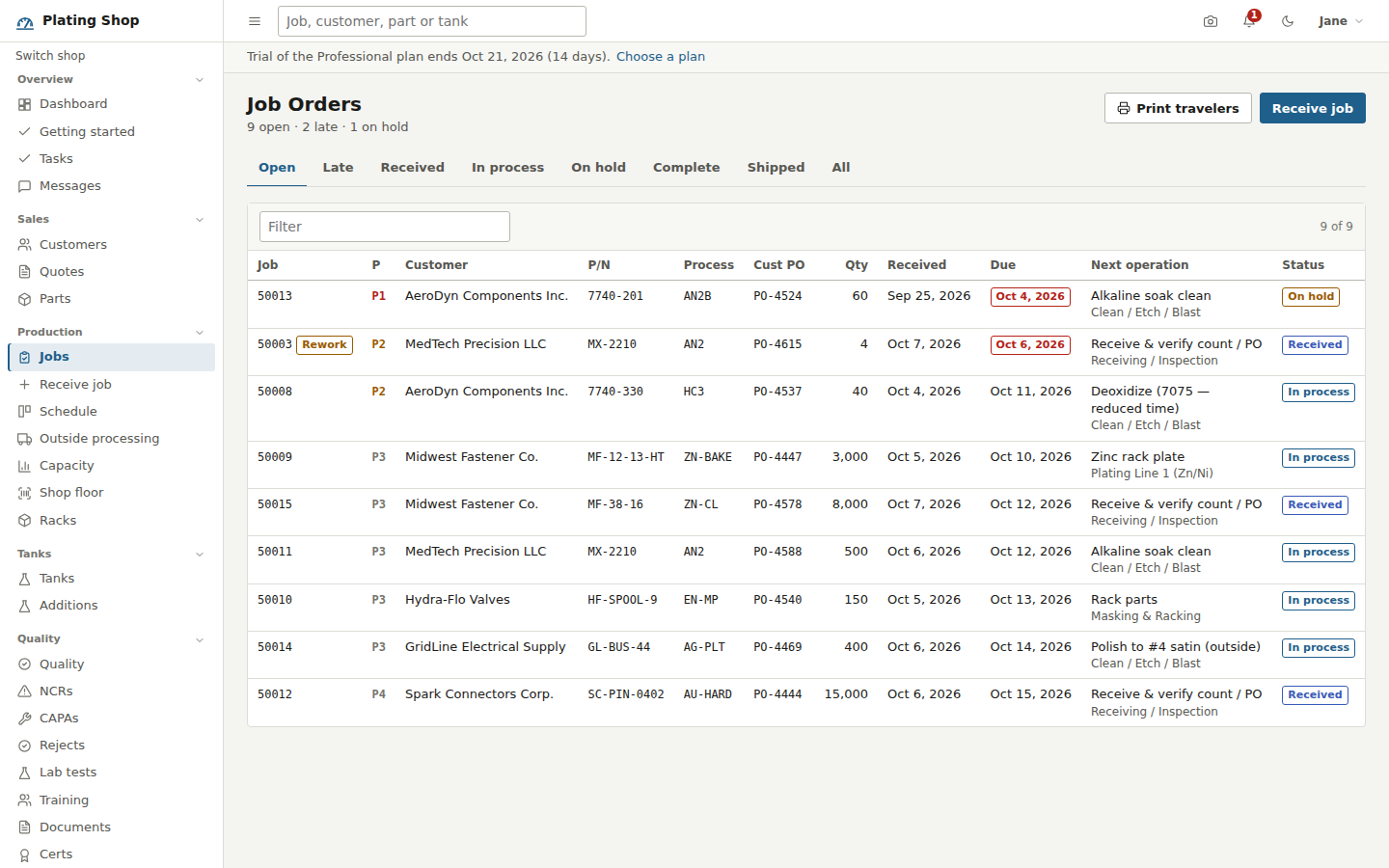
Receive job asks for the customer, part, process, material, quantity and weight, then the customer PO, packing list number, lot or heat number, received and due dates (due defaults to five days out) and a priority from P1 hot to P5 low. Choosing a part fills in its process, material, masking and special instructions, and computes racks used from pieces per rack. Price, minimum charge and thickness tolerance default from the part or the process and can be changed on the job. "Save and print traveler" opens the traveler; "Save and receive another" keeps the form for the next lot.
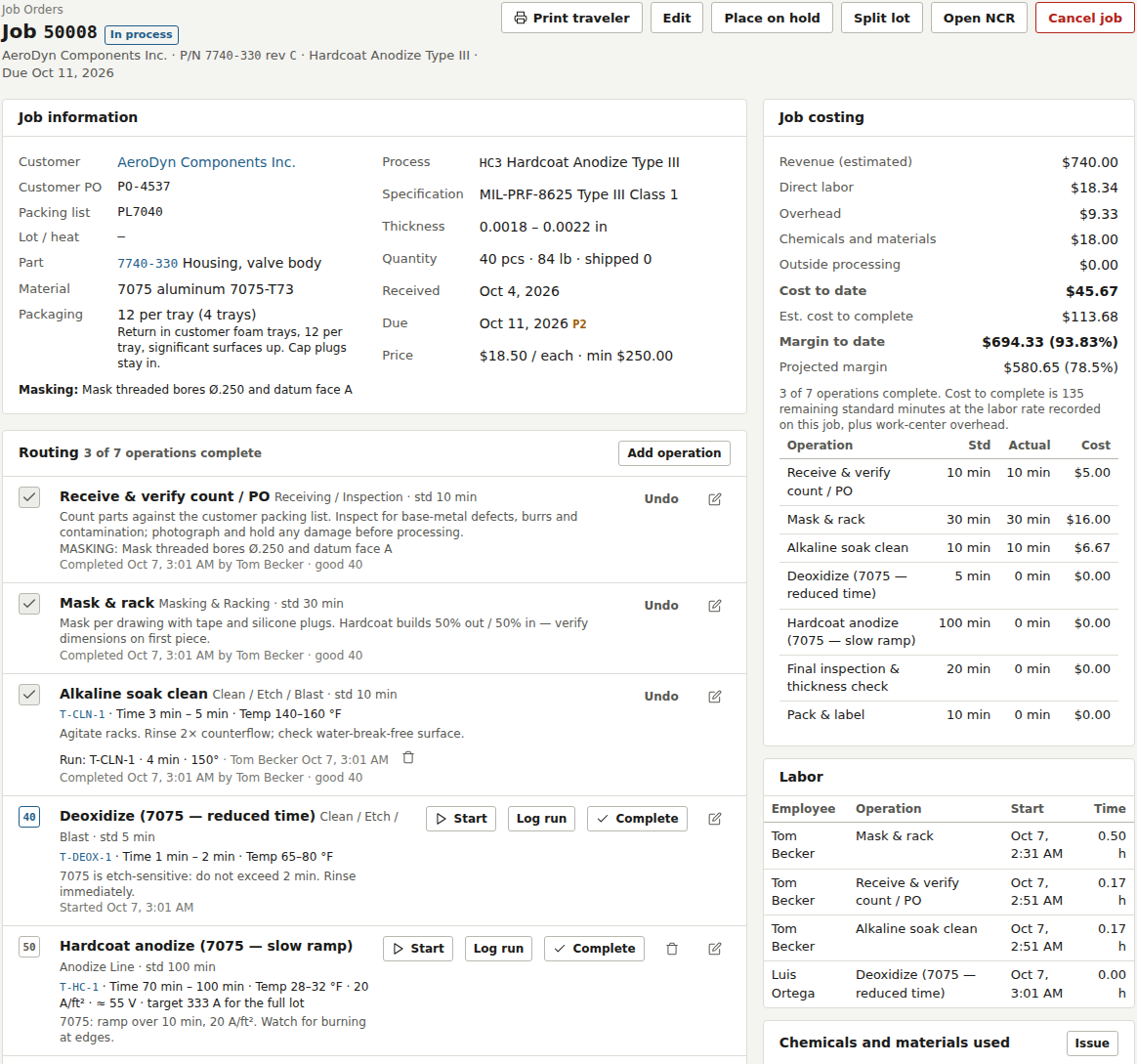
The job page
Everything about the lot is on one page: the job information, the routing with each operation's tank, window, target amps, logged runs and good and reject counts, thickness readings with a pass or fail against the spec, rejects, labor, chemicals issued, attachments, and every shipment, cert, invoice, rework job, split lot, NCR and lab test tied to the job. Finance roles also see job costing: labor, overhead, chemicals and outside processing against revenue, with a projected margin while operations remain.
Actions along the top: Print traveler, Edit, Place on hold with a reason (which prints "ON HOLD. Do not process." on the traveler), Release hold, Split lot, Open NCR, Issue cert, Ship, Cancel and Reopen. Office roles can add, edit or remove operations on one job.
| Status | Meaning |
|---|---|
| Received | No operation has started |
| In process | At least one operation is running, done or at a vendor |
| On hold | Operations cannot start |
| Complete | Every operation is done; ready to ship |
| Shipped | Shipped in full; no longer editable |
| Cancelled | Closed without shipping |
Status is derived from the operations, not set by hand.
The traveler
The traveler is a one-page form with the shop header, a QR code and Code 39 barcode for the job, and a field grid: customer, PO, packing list, lot, priority, part and revision, dates, process and spec, thickness, material, quantity, weight, area and rack. Material cautions, masking and special instructions print in a box with the part image. The operations table has one row per step with the tank and its chemistry, the parameters and target amps, and write-in cells for start, stop, good, reject, operator, date and inspector. Under each row are the instructions, the safety note (or the tank's PPE) and the operation's barcode (50008-30). Then a grid for thickness readings and signature blocks. Print travelers from Job Orders prints a batch, one per page.
Logging runs and deviations
Log run on an operation records a load: tank, load quantity, time, temperature, amps, volts and the amp-hour meter reading (left blank, amp-hours are amps times time). The same fields appear in the Complete dialog if no run has been logged yet. Time or temperature outside the window, or volts more than 25% above the typical voltage, mark the run as a deviation, with the reason stored on the run and shown on the job in red. Amp-hours logged against a tank are added to that tank's count since the last brightener addition.
Rejects, rework and split lots
Rejects are recorded when an operation is completed or from the job page: quantity, reason code, the operation they were found at, internal or customer source, and a disposition of strip and replate, scrap, use as is or return to customer. Strip and replate creates a linked rework job at priority P2 with the same part, process, spec and lot number and a zero price. Split lot moves some pieces to a new job numbered 50008-2 that keeps the routing and the progress made so far.